

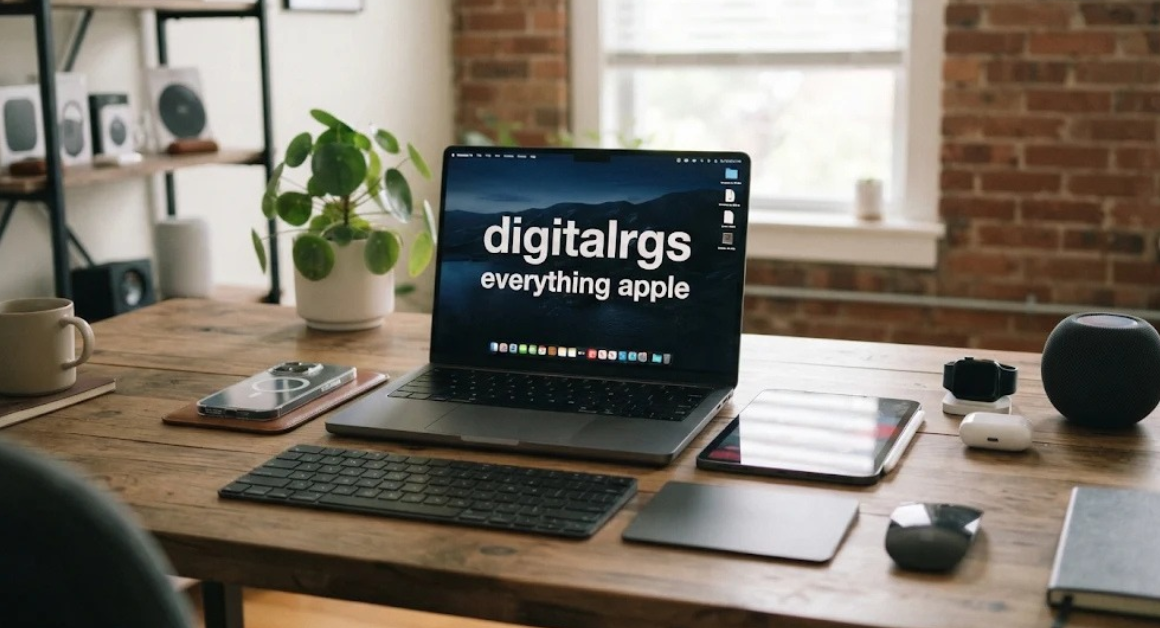
Apple has built an ecosystem that goes far beyond the iPhone. From Mac computers and iPads to Apple Watches, AirPods, and cloud services, its products are designed to work together and make everyday technology easier to manage. If you’ve come across DigitalRGS Everything Apple, you may be wondering what it covers and whether it’s a useful resource for learning about Apple products.
DigitalRGS publishes technology-related content alongside articles about gaming and social media. Its Everything Apple guide brings together information about Apple’s devices, services, buying decisions, troubleshooting, and everyday features. It is intended to help readers understand how different Apple products fit together rather than focus on just one device.
n this article, we’ll explore what DigitalRGS Everything Apple means, the topics covered in its guide, how Apple’s ecosystem works, and what readers should consider before following third-party technology advice.
What Is DigitalRGS Everything Apple?
DigitalRGS Everything Apple refers to an Apple-focused guide published on the DigitalRGS website. It discusses Apple’s product range, connected services, device maintenance, security, and purchasing considerations.
The guide is not an Apple product, application, or official support service. It is third-party editorial content that explains Apple-related subjects in an accessible format.
The published guide focuses on several areas:
-
Apple devices, including iPhone, iPad, Mac, and Apple Watch.
-
Services such as iCloud, Apple Music, and Apple TV+.
-
Features that connect multiple Apple devices.
-
Buying and upgrading recommendations.
-
Basic troubleshooting and maintenance.
-
Account security and data protection.
The central idea is to help readers understand Apple’s wider ecosystem and make more informed decisions about the technology they use.
What Does DigitalRGS Everything Apple Cover?
The guide takes a broad approach to Apple technology. Instead of treating each product as completely separate, it explains how devices, applications, and services can work together.
Here are the main subjects readers can explore.
1. iPhone: Apple’s Everyday Smartphone
The iPhone is often the starting point for people entering Apple’s ecosystem. It combines communication, photography, entertainment, productivity, navigation, and mobile applications in one device.
DigitalRGS discusses different iPhone models and the factors buyers should consider when choosing one.
Important comparison points include:
-
Camera quality: Useful for photography, video recording, and content creation.
-
Battery life: Important for people who use their phones throughout the day.
-
Display size: Affects reading, watching videos, and everyday comfort.
-
Processing performance: Matters for demanding applications, gaming, and multitasking.
-
Storage capacity: Determines how much room is available for photos, videos, applications, and downloads.
The guide generally separates standard iPhone models from Pro models, which can help readers understand why more expensive versions may appeal to particular users. However, the best choice depends on the exact model, price, and features available in your market.
2. Mac: Computers for Work and Creativity
Apple’s Mac lineup includes laptops and desktop computers designed for different types of work.
The MacBook Air is generally aimed at everyday computing, education, office tasks, and portable productivity. The MacBook Pro is designed for more demanding workloads, including professional video editing, software development, and other resource-intensive tasks.
When comparing Mac computers, consider:
-
Processor and graphics performance.
-
Unified memory capacity.
-
Available storage.
-
Screen size and display quality.
-
Battery life on portable models.
-
Ports and external display support.
-
Compatibility with the software you need.
DigitalRGS also discusses Apple’s M-series processors and the circumstances in which upgrading an older Mac may make sense. A newer computer isn’t automatically necessary if your existing machine still handles your daily workload comfortably.
3. iPad: Portable Productivity and Entertainment
The iPad sits between a smartphone and a traditional computer in terms of size and functionality. It’s useful for reading, watching videos, taking handwritten notes, drawing, studying, and working with compatible productivity applications.
Different iPad models suit different needs.
| iPad category | Common use |
|---|---|
| Standard iPad | Everyday browsing, reading, and entertainment |
| iPad Air | Study, productivity, and creative work |
| iPad Pro | Advanced creative tasks and demanding workflows |
| iPad mini | Portable reading, notes, and lightweight tasks |
Accessories can make a significant difference. An Apple Pencil can support drawing and handwritten notes, while a compatible keyboard can make typing and document editing more comfortable.
However, an iPad does not automatically replace a laptop. Your decision should depend on the applications you use, multitasking requirements, file-management needs, and the type of work you perform.
4. Apple Watch: Health, Fitness, and Notifications
The Apple Watch extends several iPhone features to your wrist. It provides notifications, fitness tracking, workout information, and supported health-related measurements.
DigitalRGS discusses the differences between standard Apple Watch models and the more rugged Ultra range. The right choice depends on how you plan to use the device.
For example:
-
Casual users may prefer a standard model for notifications and everyday activity tracking.
-
Fitness enthusiasts may value workout features and supported health measurements.
-
Outdoor users may prefer a model designed with additional durability and navigation features.
Remember that health features vary by model, country, and software version. A smartwatch should complement professional healthcare rather than replace medical advice.
5. AirPods and Apple’s Connected Accessories
AirPods are Apple’s wireless audio products. They are designed to work with compatible Apple devices and can make switching between supported devices more convenient.
Depending on the model, features may include:
-
Active noise cancellation.
-
Transparency mode.
-
Automatic device switching.
-
Spatial Audio.
-
Touch or pressure-based controls.
-
Integration with Siri.
Compatibility and available features differ between AirPods models and operating systems. It’s worth checking the exact specifications before buying accessories for an older iPhone, iPad, or Mac.
Understanding the Apple Ecosystem
One of the most important subjects in DigitalRGS Everything Apple is the Apple ecosystem. This refers to the collection of devices and services that work together through shared accounts, software, wireless connections, and cloud synchronization.
For example, you might start writing a document on your Mac, check it on your iPhone, and continue editing it on a compatible iPad.
This connected experience is one of the main reasons people choose multiple Apple products.
How iCloud connects Apple devices
iCloud is Apple’s cloud service for storing and synchronizing supported information across devices.
Depending on your settings and subscriptions, it can help keep information such as these items available:
-
Photos and videos.
-
Contacts and calendars.
-
Notes and reminders.
-
Files stored in iCloud Drive.
-
Supported application data.
-
Device backups.
One important distinction is that synchronization and backup are not exactly the same. Synchronization keeps supported information updated across devices, while a backup saves information that can help restore a device later. Apple explains these differences in its official iCloud documentation.
Apple Support+1
AirDrop for sharing files
AirDrop lets users share supported files with nearby compatible Apple devices.
It’s particularly convenient when transferring photos, documents, and other files between an iPhone, iPad, or Mac without sending them through email or a messaging application.
Availability and transfer behavior depend on device compatibility and settings.
Handoff and Continuity
Handoff is part of Apple’s Continuity features. It allows users to continue certain activities on another compatible Apple device.
For example, you might begin writing an email on your iPhone and continue it on your Mac. Other Continuity features include Universal Clipboard and supported camera and calling integrations.
These features depend on compatible hardware, software, account settings, and connectivity.
Apple Help
Apple Services Covered by DigitalRGS
Apple’s ecosystem is not limited to physical devices. The company also offers subscriptions and digital services that provide entertainment, storage, and additional functionality.
DigitalRGS discusses several of these services.
Digitalrgs
| Apple service | Main purpose |
|---|---|
| iCloud+ | Additional cloud storage and privacy features |
| Apple Music | Music streaming |
| Apple TV+ | Original television shows and films |
| Apple Arcade | Subscription-based gaming |
| Apple One | Bundled Apple subscriptions |
| Apple Fitness+ | Guided workouts and fitness content |
Is Apple One worth considering?
Apple One combines eligible Apple subscriptions into a single bundle. It may be useful if you already pay for multiple included services.
Before subscribing, compare:
-
Which services you actually use.
-
The individual subscription prices in your country.
-
The bundle’s local price.
-
Whether family sharing is useful to you.
-
Whether you need the additional iCloud storage.
A bundle isn’t automatically cheaper for everyone. Its value depends on your actual usage and regional pricing.
DigitalRGS Everything Apple: Buying and Upgrade Advice
Buying an Apple device can involve a substantial investment, so choosing the right model matters more than simply purchasing the newest one.
The DigitalRGS guide approaches buying decisions by considering different users, budgets, and everyday requirements.
Digitalrgs
Choosing the right iPhone
Before purchasing an iPhone, consider:
-
Your preferred screen size.
-
Whether you need advanced camera features.
-
How much storage you require.
-
Battery performance.
-
Software support and compatibility.
-
The difference between new and older-generation models.
If you mainly use your phone for messaging, browsing, photography, and social media, you may not need the most expensive model.
Choosing the right MacBook
Think about your daily workload before deciding between a MacBook Air and MacBook Pro.
A MacBook Air may be sufficient for:
-
University assignments.
-
Web browsing.
-
Office applications.
-
Video calls.
-
Everyday productivity.
A MacBook Pro may be more appropriate for:
-
Professional video editing.
-
Advanced software development.
-
Large creative projects.
-
Demanding multitasking.
-
Workloads that benefit from additional performance and sustained processing power.
Should you buy a used Apple device?
Used Apple products can offer savings, but a lower price doesn’t always mean better value.
Check these details before buying:
-
Battery health and charging performance.
-
Screen condition and display quality.
-
Camera, speakers, and microphone.
-
Physical buttons and charging ports.
-
Wi-Fi and cellular connectivity.
-
Storage capacity and model number.
-
Activation Lock and whether the seller can properly remove the device from their account.
-
Proof of purchase, where available.
Never purchase a device that remains linked to someone else’s Apple Account. Activation Lock can prevent you from setting it up and using it normally.
Apple Security, Privacy, and Device Maintenance
Security is an important part of owning connected devices. Your Apple Account may provide access to photos, contacts, backups, files, and other personal information, so protecting it should be a priority.
DigitalRGS highlights several everyday security and maintenance practices.
Digitalrgs
Enable two-factor authentication
Two-factor authentication adds another layer of protection to your Apple Account.
When you sign in on a new device, Apple may require both your password and a verification code sent to a trusted device or phone number.
Apple provides instructions for enabling and managing this security feature.
Apple Support
Keep your devices updated
Software updates can introduce new features, fix bugs, and address security vulnerabilities.
To check for available updates:
-
On iPhone or iPad, open Settings and select General.
-
Choose Software Update.
-
Review the available version.
-
Read the update information before installing.
-
Make sure important information is backed up.
On a Mac, use System Settings and the Software Update section.
Menu names and available options may vary depending on the operating system version.
Back up important information
Losing a phone or computer can be frustrating, especially when it contains important photographs, documents, and personal information.
For iPhone and iPad users, iCloud Backup can automatically save supported device information when the required conditions are met. You can also back up using a computer.
Apple Support+1
A sensible backup routine includes:
-
Checking when the last backup completed.
-
Making sure enough storage is available.
-
Keeping important documents in a separate safe location when appropriate.
-
Confirming that backups can be accessed when needed.
Manage storage regularly
When device storage becomes full, installing updates, downloading files, and saving photographs can become difficult.
A few simple habits can help:
-
Remove applications you no longer use.
-
Review large video files.
-
Delete unnecessary downloads.
-
Move suitable documents to external or cloud storage.
-
Review application storage usage.
Be careful when deleting files that synchronize through iCloud. Removing an item from one device may also remove it from other devices using the same synchronization service.
Common Apple Problems and How to Troubleshoot Them
Even well-designed technology can develop problems. An iPhone might stop connecting to Wi-Fi, a Mac may become unusually slow, or an application may freeze unexpectedly.
The DigitalRGS guide discusses basic troubleshooting approaches, including restarting devices, checking updates, and investigating network problems.
Digitalrgs
Here are some general steps worth trying.
| Common problem | First troubleshooting step |
|---|---|
| iPhone running slowly | Restart the device and review available storage |
| Wi-Fi connection problems | Check router connectivity and network settings |
| Mac application freezing | Close and reopen the application |
| Battery draining quickly | Review battery usage and background activity |
| iCloud synchronization problems | Check internet access and Apple Account settings |
| Mac startup problems | Follow Apple’s model-specific startup and Safe Mode instructions |
When should you contact Apple Support?
Basic troubleshooting is useful, but some problems require professional assistance.
Contact Apple Support or an Apple Authorized Service Provider when:
-
Your device has physical or liquid damage.
-
The battery appears swollen or damaged.
-
You cannot resolve repeated startup failures.
-
Your device has persistent hardware problems.
-
You suspect unauthorized access to your Apple Account.
-
Important data is at risk.
Avoid following advanced terminal commands or resetting a device unless you understand what the action does and have protected important data.
Is DigitalRGS Everything Apple an Official Apple Website?
No. DigitalRGS is a separate website that publishes gaming, social media, and technology content. Its Everything Apple guide is independent editorial material, not an official Apple publication. The public website’s navigation and article information identify DigitalRGS as a separate content platform.
Digitalrgs+1
This distinction matters because independent websites do not control Apple’s products, software releases, warranties, or technical support policies.
You can use third-party articles to understand general concepts and discover useful tips. However, verify important information through Apple’s official resources.
For example:
-
Apple Support is the appropriate source for troubleshooting and setup instructions.
-
Apple Newsroom provides official company announcements.
-
Apple’s technical specifications pages provide product details.
-
Apple’s software documentation explains operating system features.
If a third-party article conflicts with Apple’s current documentation, use Apple’s information as the authoritative reference.
Who Can Benefit From DigitalRGS Everything Apple?
The guide’s broad subject coverage makes it relevant to several types of readers.
First-time Apple users
People switching from Android or Windows may need help understanding Apple’s settings, account system, applications, and connected services.
A beginner-friendly guide can make the transition less confusing.
Existing iPhone and Mac owners
People who already own Apple products may discover features they haven’t used before, such as Continuity, iCloud synchronization, and shared services.
Students and professionals
Students may be interested in iPad note-taking, Mac productivity, and cloud storage. Professionals may focus on computer performance, software compatibility, and device management.
People planning to buy Apple products
Anyone comparing iPhone, Mac, iPad, or Apple Watch models can benefit from learning about specifications, practical features, and ownership costs before making a purchase.
Frequently Asked Questions (FAQs)
1. What is DigitalRGS Everything Apple?
DigitalRGS Everything Apple is an Apple-focused guide published on the DigitalRGS website. It covers Apple devices, services, buying advice, troubleshooting, security, and features that connect products within Apple’s ecosystem.
2. Is DigitalRGS an official Apple website?
No. DigitalRGS is an independent website, not an official Apple platform. For verified product specifications, software instructions, and technical support, consult Apple’s official resources.
3. Is DigitalRGS Everything Apple an application?
No. It refers to online editorial content, not an application that needs to be downloaded or installed on an iPhone, iPad, or Mac.
4. What Apple products does the guide discuss?
Its published guide discusses the iPhone, iPad, Mac, Apple Watch, Apple TV, and HomePod. It also covers services and accessories within the wider Apple ecosystem.
Digitalrgs
5. Can Apple devices work together?
Yes. Compatible Apple devices can share information and support features such as AirDrop, Handoff, and iCloud synchronization. The available features depend on the devices, operating systems, and settings involved.
6. Is iCloud the same as an iPhone backup?
No. iCloud synchronization keeps supported information updated across devices, while iCloud Backup saves supported device information that can help restore a device later. The two services work together but serve different purposes.
Apple Support
7. How can I protect my Apple Account?
Use a strong password, enable two-factor authentication, protect your devices with a passcode, and keep trusted phone numbers and recovery information current. Never share verification codes with someone who contacts you unexpectedly.
8. Is a MacBook Air good for students?
For many students, yes. It can handle common tasks such as research, writing, presentations, browsing, and video calls. However, students using demanding engineering, design, or video-editing software should check application requirements before choosing a model.
9. Should I buy an older iPhone to save money?
An older iPhone can offer good value if it meets your needs. Before buying, check its battery condition, software compatibility, storage, physical condition, and Activation Lock status.
10. Where should I find reliable Apple troubleshooting instructions?
Apple Support is the best starting point for official troubleshooting instructions. Independent guides can help explain a problem, but verify important steps against Apple’s documentation for your specific device and operating system.
Conclusion
DigitalRGS Everything Apple brings together information about Apple’s products, services, connected features, buying decisions, and everyday troubleshooting. Its guide offers a broad introduction to the Apple ecosystem, making it a useful starting point for readers who want to understand how iPhone, iPad, Mac, Apple Watch, and iCloud fit together.
The most valuable approach is to combine easy-to-understand technology articles with accurate, up-to-date information from Apple itself. Before purchasing a device, changing important settings, or troubleshooting a serious problem, check the exact model and software requirements.
Whether you’re new to Apple or already use several of its products, learning how the ecosystem works can help you make better buying decisions, protect your information, and get more from the devices you own.